Every medical record your family has. Kept for life.
Carechive is the private archive for you and the people you love. Scan the paper, see how results change over the years, and understand what they mean — all in the palm of your hand.
Paper fades. Hospital portals expire. Memory blurs. Carechive turns a drawer of reports into one living health history — ready when a doctor asks, “has this changed since last year?”
What it does
One archive. A whole life of care.
A scanner that knows a good page
Hold your phone over a report. Carechive finds the edges, waits until the page is sharp, takes the picture, then straightens it, turns it upright and removes shadows. Photos, PDFs and Excel lab tables can be added too.
Read three times, then checked by you
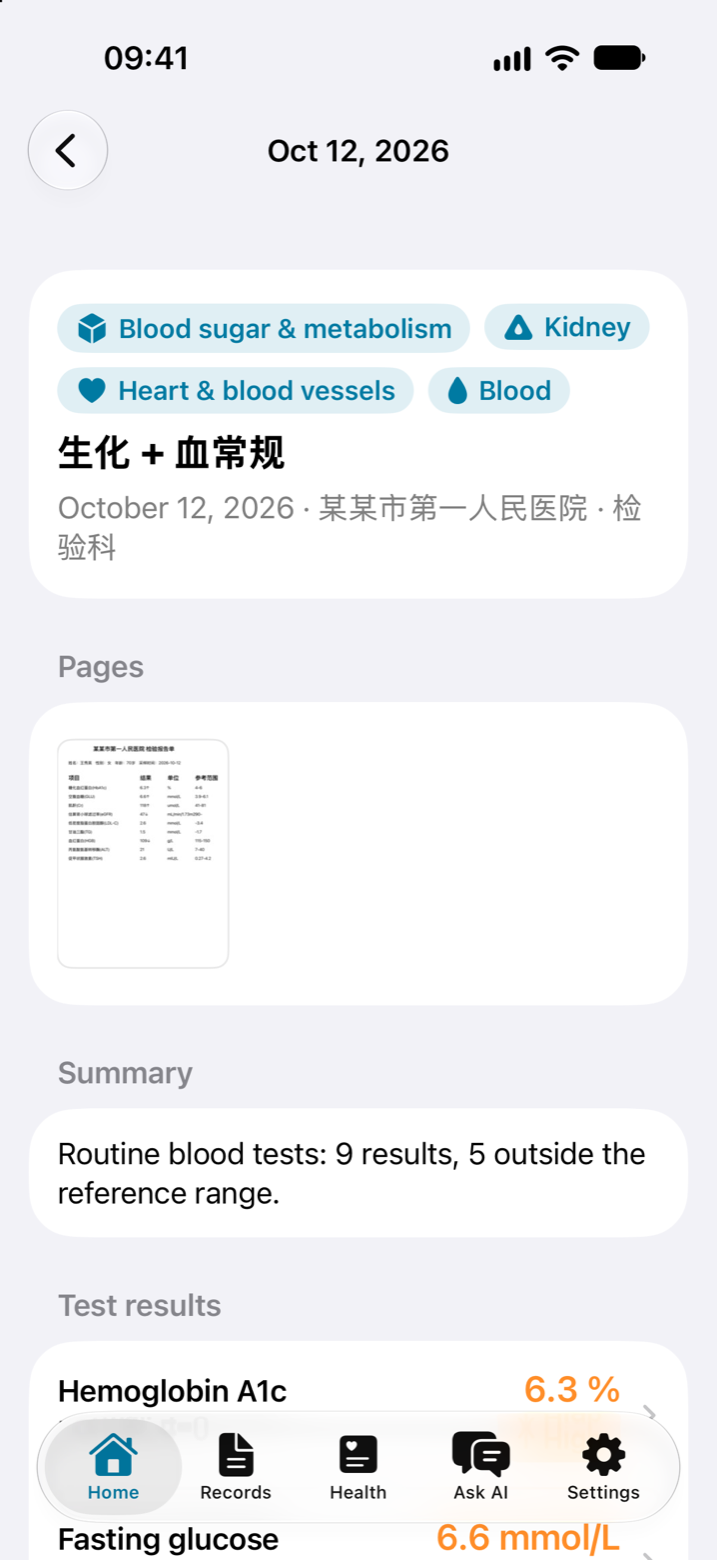
Each page is read three independent ways. A value is kept only when the readings agree; anything doubtful is shown next to a close-up of the page for you to confirm, correct or leave out.
Trends across the years
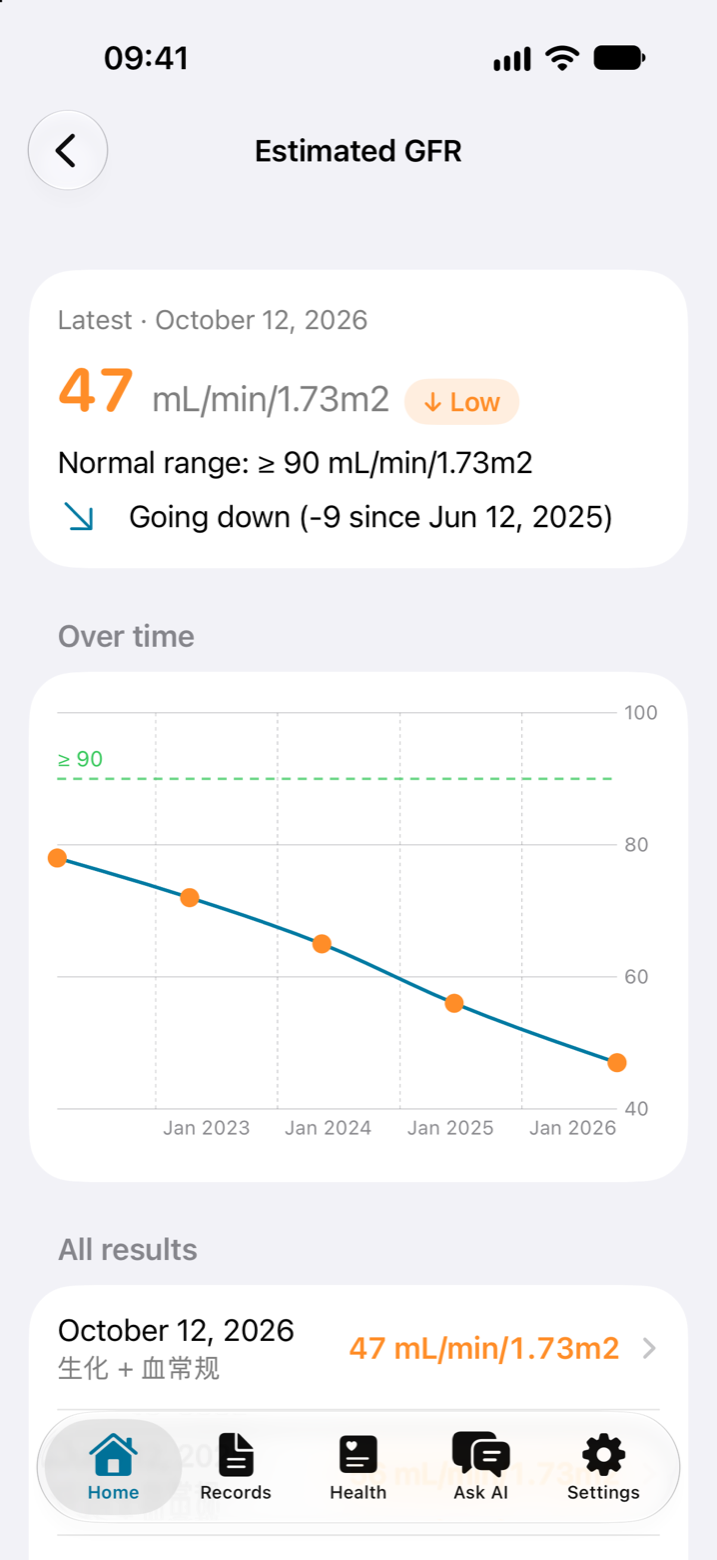
Around 280 lab tests are recognised in English and Chinese, with units converted, so the same test from different hospitals lands on one chart.
Plain-language answers, with sources
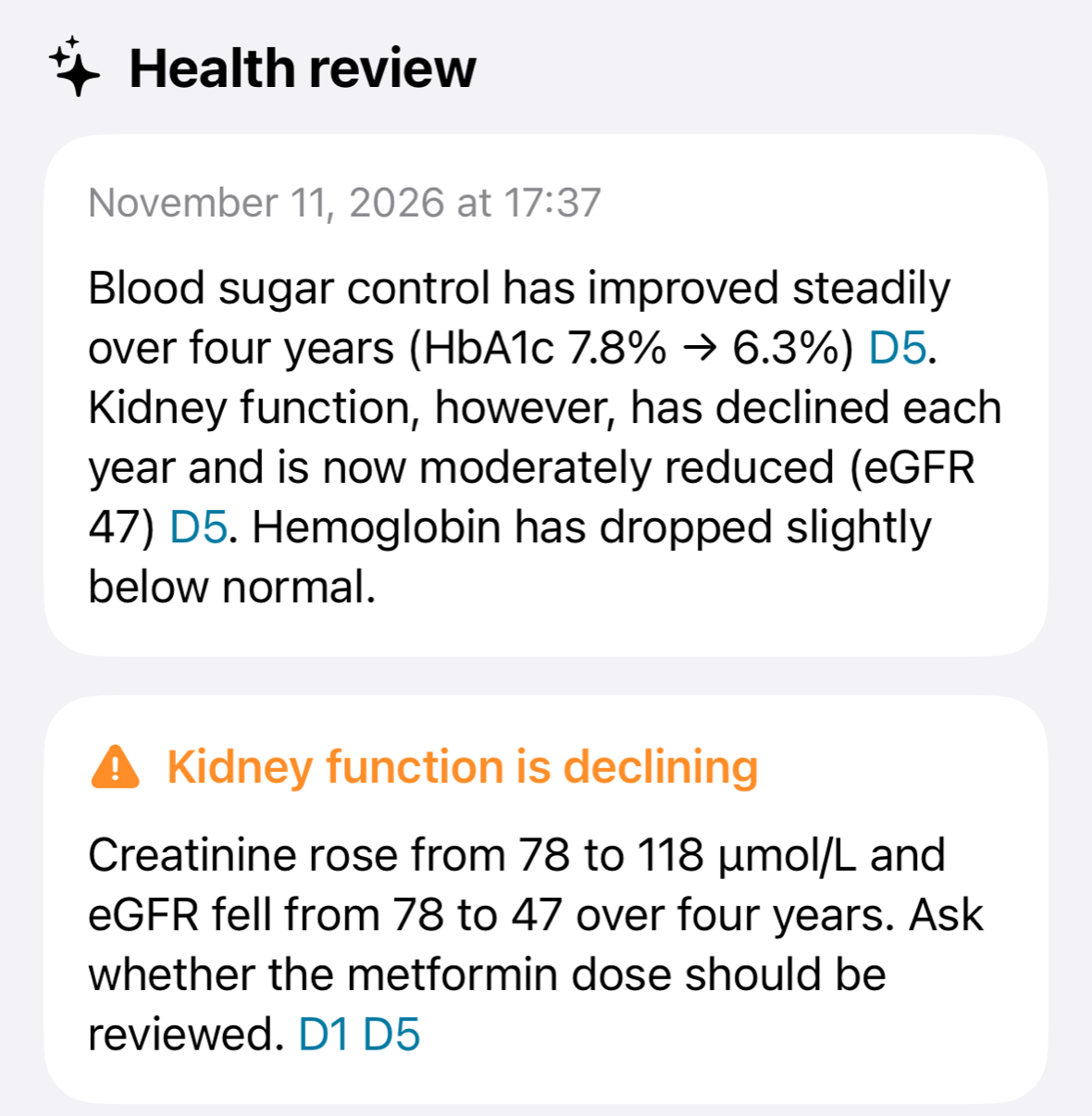
Ask about any result and get a short answer that cites the exact record it came from. A health review points out what changed and what to ask the doctor.
For you and your loved ones
Keep separate records for up to five people — yourself, parents, children. Large text, big buttons and VoiceOver support make it comfortable for older eyes and hands.
Yours to keep, and to take with you
Export a person's whole history — results and original pages — as a single password-protected file, encrypted with AES-256. Bring it to a new phone or share it with a sibling; importing checks it is the same person and merges without duplicates.
How it works
From a pile of paper to a clear picture
1
Scan it once
Lab results, doctor's notes, prescriptions, imaging and discharge reports. Carechive keeps the original page beside what it read, sorted by date and by body system.
Tells you on the spot if a page is too blurry and why
Handwriting and ECG strips are transcribed and always shown for checking
Pages from different days become separate records
2
See what is changing
Every test gets its own timeline with the normal range from your own reports. A slow drift that no single report shows becomes obvious at a glance.
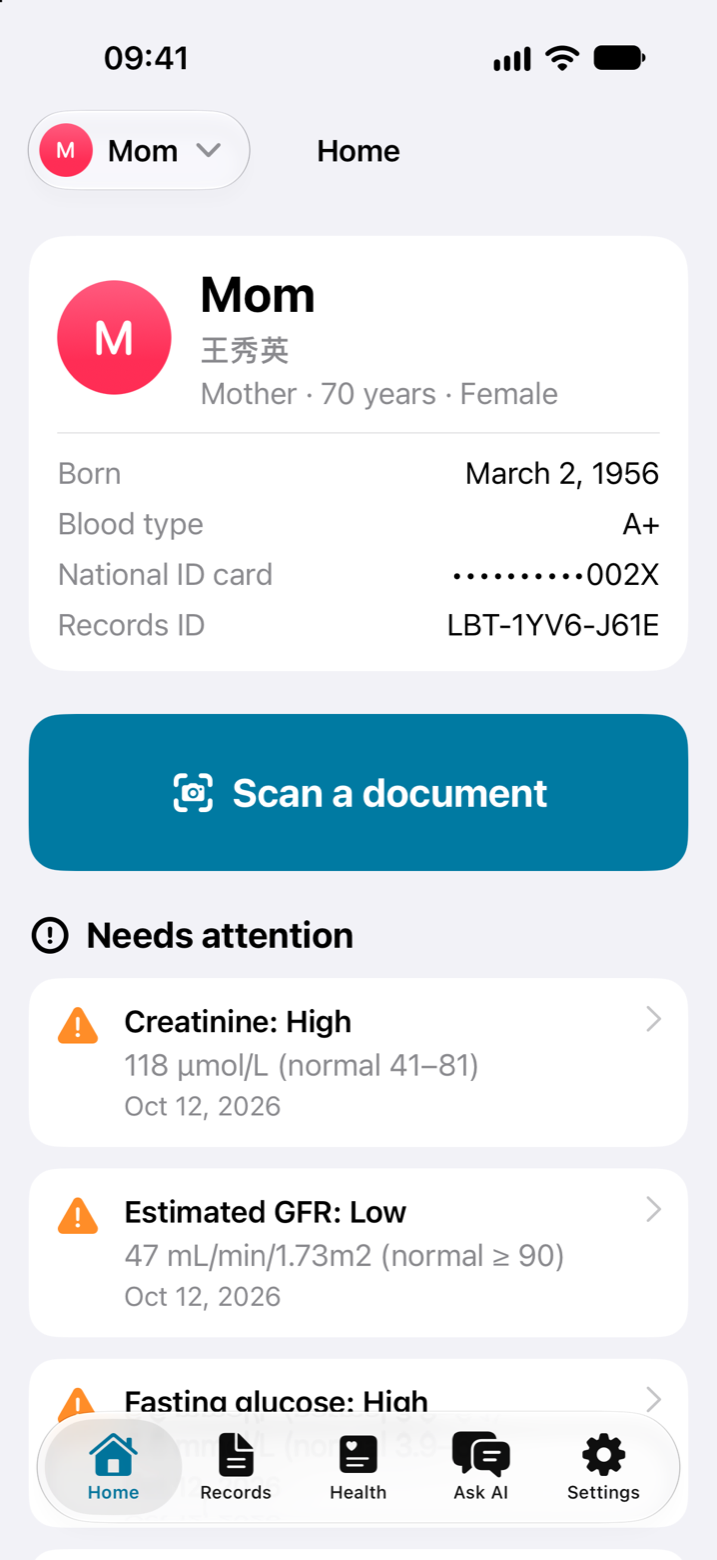
Out-of-range and worsening results are raised on the home screen
Follow-ups that are due are not forgotten
These checks run on your device, with no AI needed
3
Understand it, and walk in prepared
The assistant explains results in everyday words, for this person's age and sex, and links each statement to the record behind it. It suggests questions for the next appointment — it does not diagnose or change medication.
Names, ID numbers, birth dates, phones and addresses are removed before text is sent to the AI
You can see exactly what the AI sees
Prefer another AI? Use your own key for OpenAI, Anthropic, Gemini and others
Privacy
Private by design. Honest about the details.
Medical records are the most personal data there is. Here is exactly where yours go.
What stays on your device
Your records, results and original pages are stored on your iPhone or iPad with iOS file protection, behind Face ID or your passcode. No Carechive server holds a copy, and nothing is included in backups unless you turn it on.
What leaves, and only if you agree
To read a page accurately, its picture is sent through Carechive's service to Baidu OCR and DeepSeek. The picture shows whatever is printed on it, including the name. Carechive's service does not keep or log it. For explanations, record text is sent to the AI with identifying details removed. You are asked first, and each can be switched off.
What we never do
No ads. No tracking. No selling data. No new password — you sign in with Apple, which Carechive uses only to identify you.
Questions
Good things to know
Is Carechive a replacement for my doctor?
No. Carechive organises and explains your records so you can have a better conversation with your doctor. It is not a medical device and does not give medical advice, diagnose conditions or change treatment.
Which records can it read?
Printed lab reports, doctor's notes, prescriptions, imaging and discharge reports in English and Chinese, from the camera, Photos, PDFs, and Excel or CSV lab tables. Handwriting and ECG strips are transcribed and always shown to you for checking.
How accurate is the reading?
No reader is perfect, so Carechive does not trust a single one. Each page is read three ways and a value is saved only when they agree. Everything else is flagged, and a record cannot be saved until you have confirmed, corrected or left out each flagged value.
What happens if I lose or replace my phone?
Because records live on your device, keep a backup. Export each person's records to a password-protected file and store it somewhere safe, or turn on backups in Settings. Keep the password: without it the file cannot be opened, not even by Carechive.
What do I need to use it?
An iPhone or iPad with iOS 26 or later, and an Apple account to sign in.
Start the archive your future self will thank you for.
Carechive is coming soon to the App Store for iPhone and iPad.